Categories
Design Urban papercraft

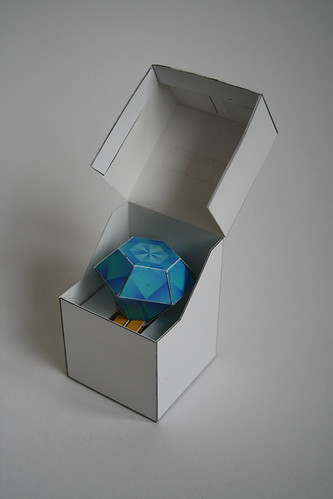
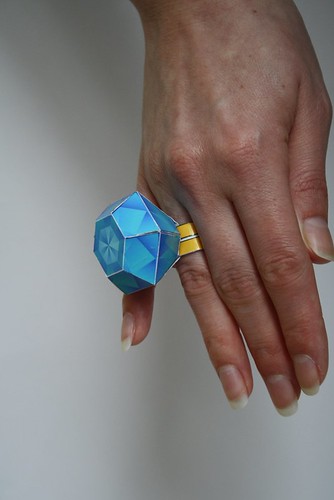
Papertoy diamond ring

A papertoy that I did a while back.

Papertoy diamond ring

This papertoy is a gift for someone who creates jewelry (check out the quick website I did for her: Smederij in Amsterdam).

She complains that nobody gives her jewelry. So I created a BIG-diamond ring 😀

Papertoy diamond ring + box

Visit my Flickr account for more images

Categories
Design Urban papercraft

Papertoys Monsters

I finished this models a while back, but never posted about them…
really sad that I didn’t because they are awesome 😀

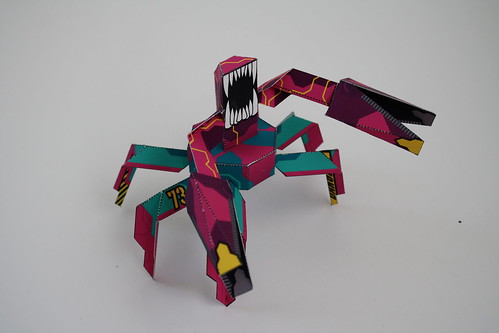
Scorpion Robot
Scorpion Robot

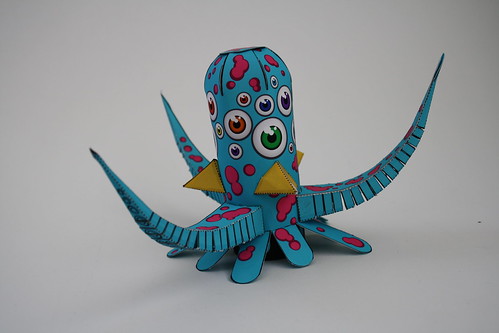
OctoBeak
Monster OctoBeak

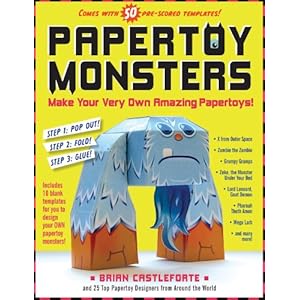
They are papertoy monster made for the Monsterbook by Workman Publishing Co.
You can preorder it at Amazon:

Papertoy Monsters: Make Your Very Own Amazing Papertoys! .

There are 50 monsters in this book made by 25 designers. We were given the task to create monster papertoys on one piece of paper, with double-sided prints. They also asked to do some “classic” monster: I did a robot and a fictional monster.

Check my flickr account for more images!

Categories
AS3 FDT Flash

Create SWC library from FDT

I use Greensock Tweening Platform a lot, it awesome. Download it (here for example) and you have everything you need.

Now I start working with SWC files and they are so compact: I love it.
But how do you get a library in a SWC? Google has an answer but it’s very complex.

The best answer is from Bruno Fonzi on

Twitter / Bruno Fonzi: How to create SWC librarie ….

How to create SWC libraries from FDT:
Right click Project > Run as > FDT Library
or
Menu > Run Configurations > Create new FDT Library

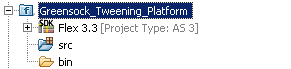
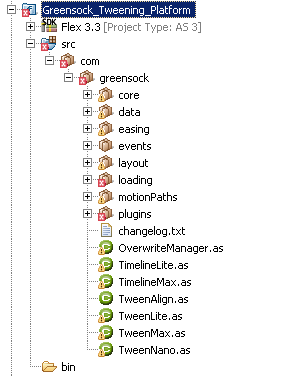
So start with a New Flash Project (the name you will use for this project will be the name of the SWC: in my case “Greensock_Tweening_Platform”) and copy the com folder from the Greensock ZIP into the src (of source) folder.

If you follow the instructions and create a SWC you will get an error about: UIComponent and Vector (depends on your Project properties).

So to fix this: follow the 2 red x’s

com > greensock > loading > display > FlexContentDisplay
I don’t use this one, so delete.

The next depends on the project properties (I used SDK: Flex 3.3 and Player Version 9 and there are no Vectors in Player version 9)
com > greensock > plugins > EndVectorPlugin
I can’t use this one, so delete this on too.

Create the SWC again and your done: you have one file with the Greensock Tweening Platform in it.

Categories
AS3 FDT Flash

FDT and ANT – part 1

Just started to work with FDT and wrote about my “troubles” (post#1 and post#2) with my transition from FlashDevelop.
(have to be very carefull what I say: “they” are watching me: here and here 😀 )

And it seems to be a very natural (geeky) thing to learn about ANT.

And where do you go to learn about ANT and SWF/Flash/FDT? (Google?)
After some tinkering all I got was: failed to create task or type fdt.launch.application

This post was very useful: FDT and ANT | A User’s Guide – Part I by Alan Klement.
Watch the videos (I’m not very fond of tutorial videos but in this case; they get the job done).
What I love about the “Video I: Getting Started” is the fact that it builds up from scratch. So watch this video when you want to know about ant-files/xml, how to open the ANT-View, how to open/execute an ANT-file.

The second video (Video II: Compiling a SWF) was what I really was looking for: how to export a SWF. Very nice because it starts from scratch.
And it gave me the answer I was looking for: why didn’t my ANT-file didn’t work (it about 3/4 of the video):

BUILD FAILED
[blabla]\source\a\example\build\build.xml:17: Problem: failed to create task or type fdt.launch.application
Cause: The name is undefined.
Action: Check the spelling.
Action: Check that any custom tasks/types have been declared.
Action: Check that any / declarations have taken place.

Solution is very simple, but if you don’t know, you will hate FDT and really it’s not it fault:
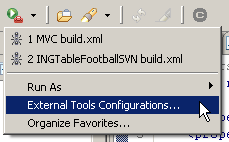
Goto the green “play” button with the brown bag, in the toolbar (one picture says more than a thousand words:)
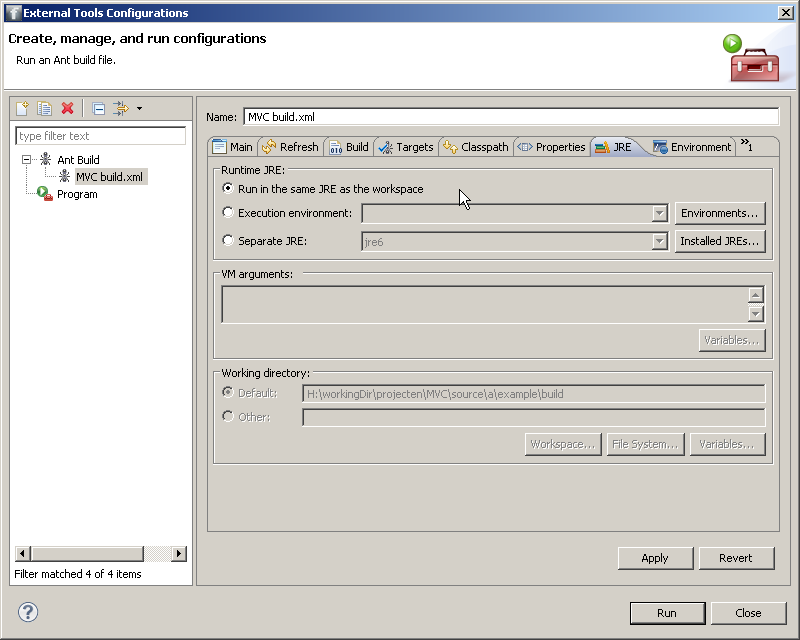
Select the ANT-file you want to change (I have only one :D), goto to tab “JRE” and change the Runtime JRE to Run in the same JRE as the workspace and your done:
Very useful are the ANT-snippets and ANT-Build-template!
Download (created by Alan Klement) and “install” the ANT-template (how-to on this page but here the short version)

To add XML files templates go: Preferences > XML > XML Files > Editor > Templates and click import.

To add Ant snippets go: Preferences > Ant > Editor > Templates and click import.

I haven’t seen the second part of this tutorial: FDT and ANT | A User’s Guide – Part II but I will.
It seems to be focused on the use of the templates and snippets.

source:
FDT and ANT | A User’s Guide – Part I
FDT and ANT | A User’s Guide – Part II